At home in your terminal.
Your disks.
All at once.
See which disk is busy, which process writes, and where the space went. A Linux disk monitor with live meters, history graphs, and the familiar feel of htop and nvtop.
Built in Rust Made for Linux GPLv3 licensed
Every disk at once.RD, WR, IO and fill meters, htop style.
Find the process.Reads and writes per PID, in a compact strip.
See where space goes.Filesystems and a /home size scanner.
Every disk.
One screen.
Like htop shows every core, disktop gives every disk its own block: four meters and a graph of utilization and fill level over time. It adapts from a wide screen down to a 36 × 16 terminal.
Select a view to see the real interface.
F5 Focus a disk
F2 Graphs, colors, rows
/ Search the table
F12 Save your setup
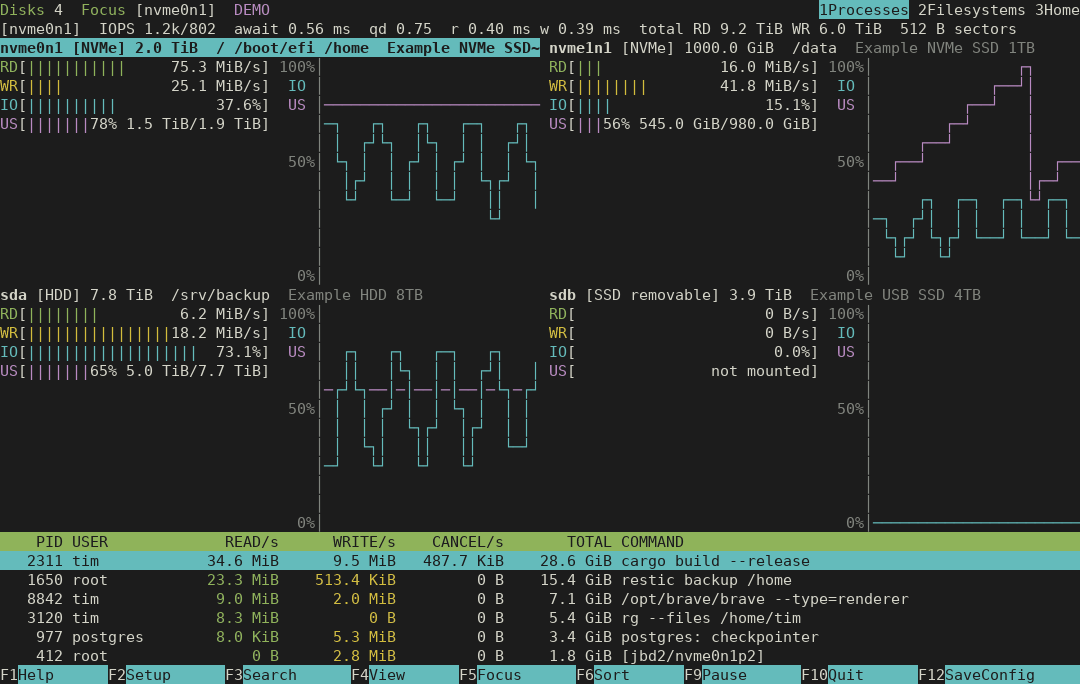
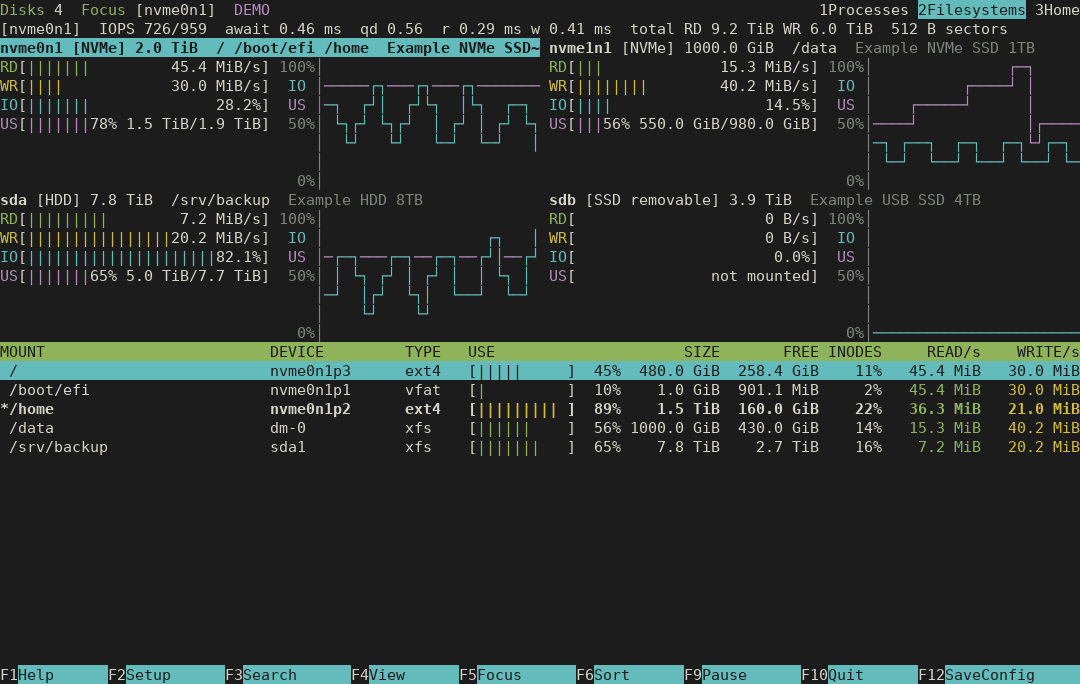
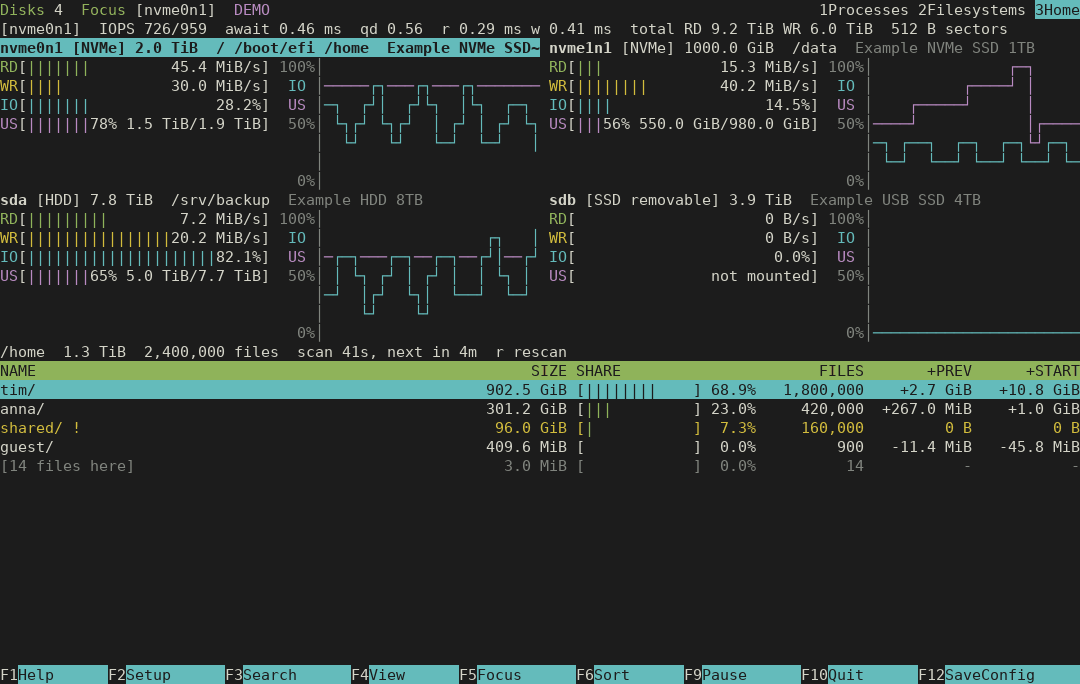
Native terminal colors. English or German. Your theme comes with you.
Set up once.
Just run disktop.
Build from source and install to your user directory. disktop runs as your regular user right away; the optional helper adds every user’s processes and directories. Either way, start disktop without sudo.
You’ll need Linux and Rust 1.88+. The commands here use Ubuntu 24.04 or newer.
What does the optional helper do?
Without it, disktop shows your own processes and the directories you can read, and says how many processes are hidden. Setting up the helper asks for administrator authentication once and installs a root-owned collector with only cap_dac_read_search and cap_sys_ptrace. Members of your primary group can then see all processes’ storage I/O and all directory names and sizes, never file names or contents. The terminal UI itself never gains privileges.
Open source under the GNU GPLv3 or later. No GitHub account needed to clone.
git clone https://github.com/itmitalles-de/disktop.git
cd disktop
./scripts/install.sh

# Optional, once: setcap tools + helper
sudo apt install libcap2-bin
./scripts/setup-helper.sh

# From now on, no sudo
~/.local/bin/disktopdisktop --demoA labeled preview with synthetic data.Real counters.
Clear boundaries.
Disk rates come from the kernel’s /proc/diskstats counters. Fill levels come from the mounted filesystems, mapped to their disks through partitions, LUKS, LVM and MD. Process rates come from /proc/PID/io.
Process I/O cannot be attributed to a device, and processes that exit between refreshes are not listed. disktop shows hidden processes and partial scans instead of inventing numbers.
Understand the measurements